Back office
The whole system, screen by screen.
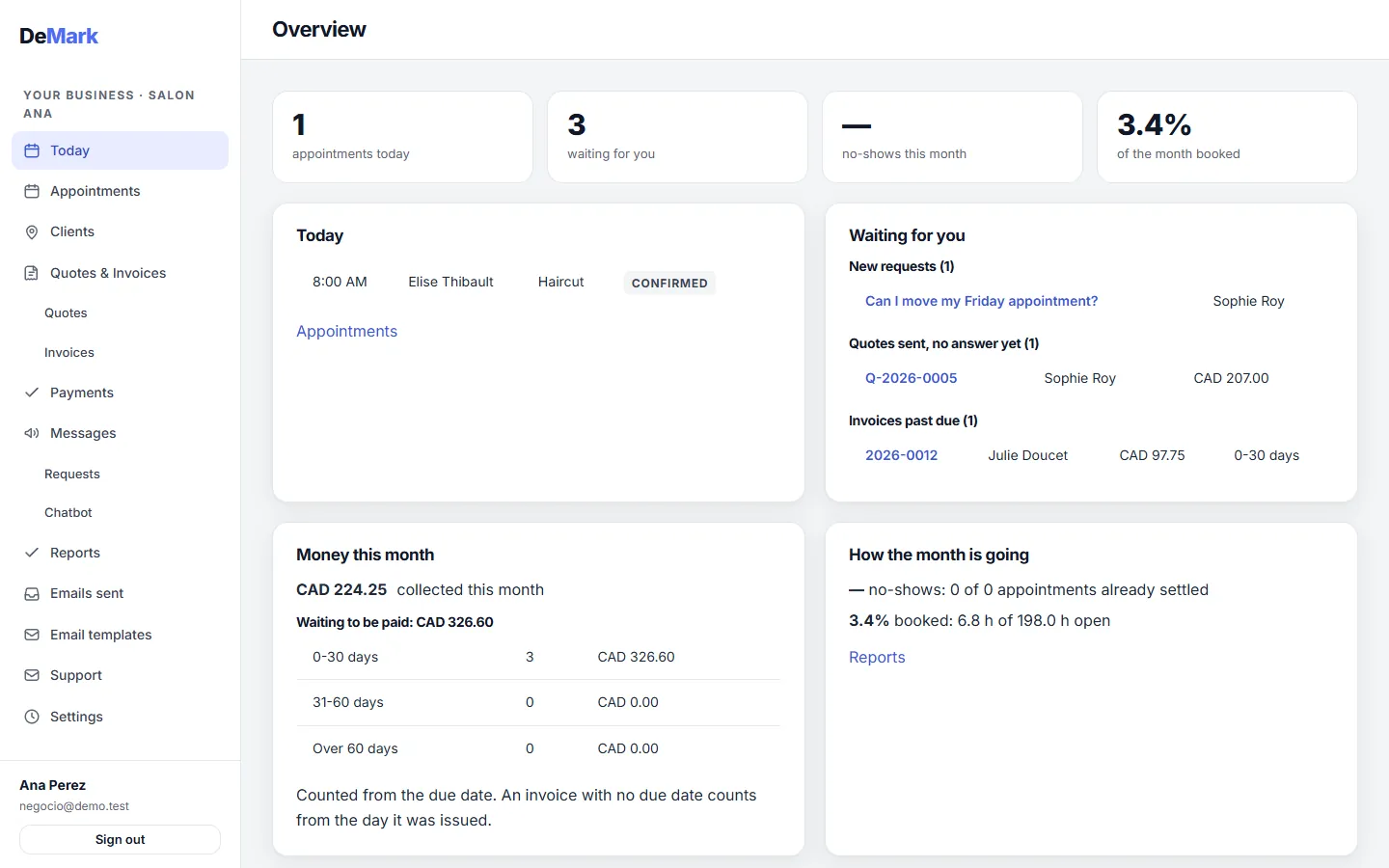
Booking, reminders, clients, quotes, invoices, card payments and a client portal in one back office — a monthly membership, with one advisor who knows your business.

01 / 11
Online booking and agenda
Included in Essential
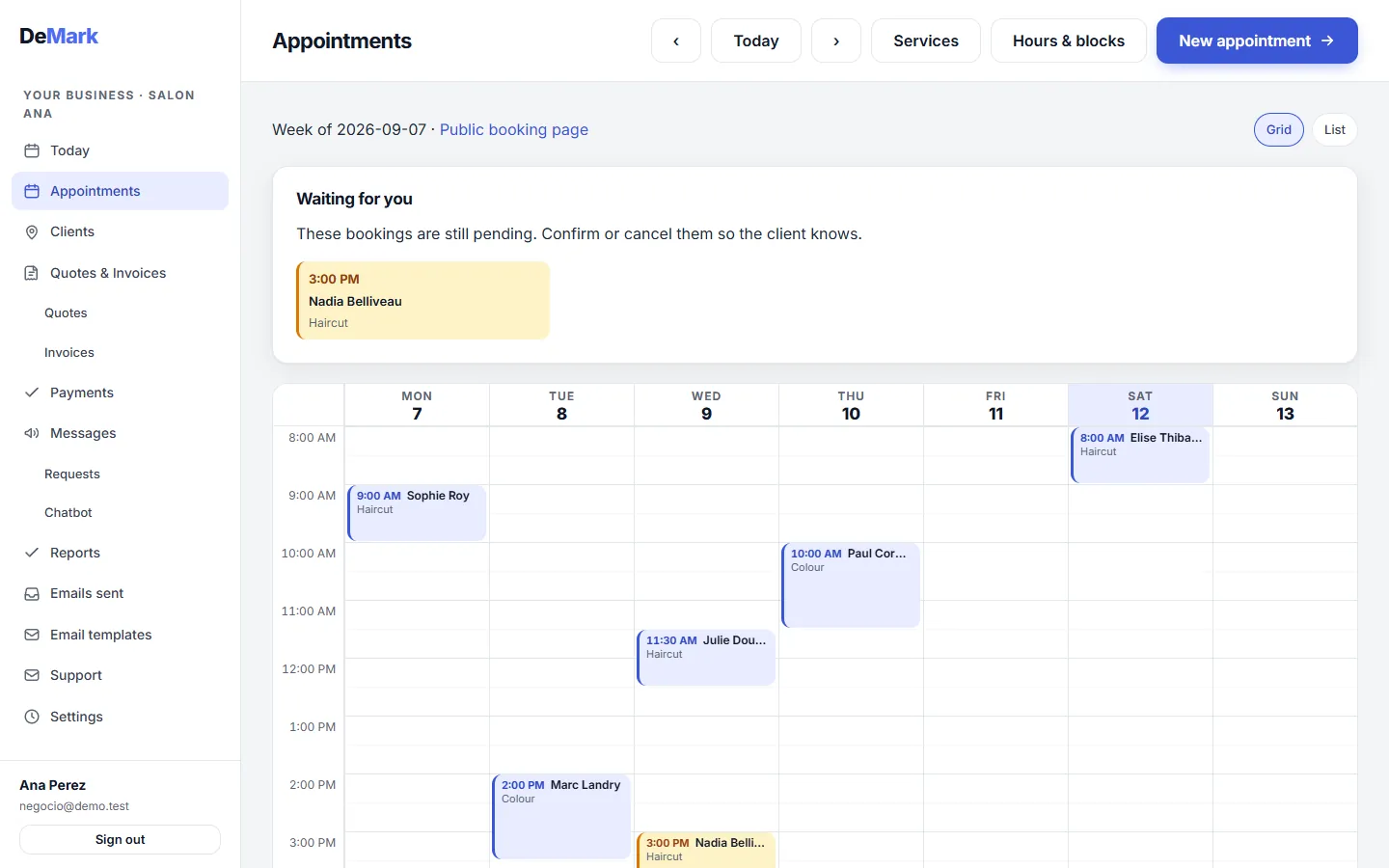
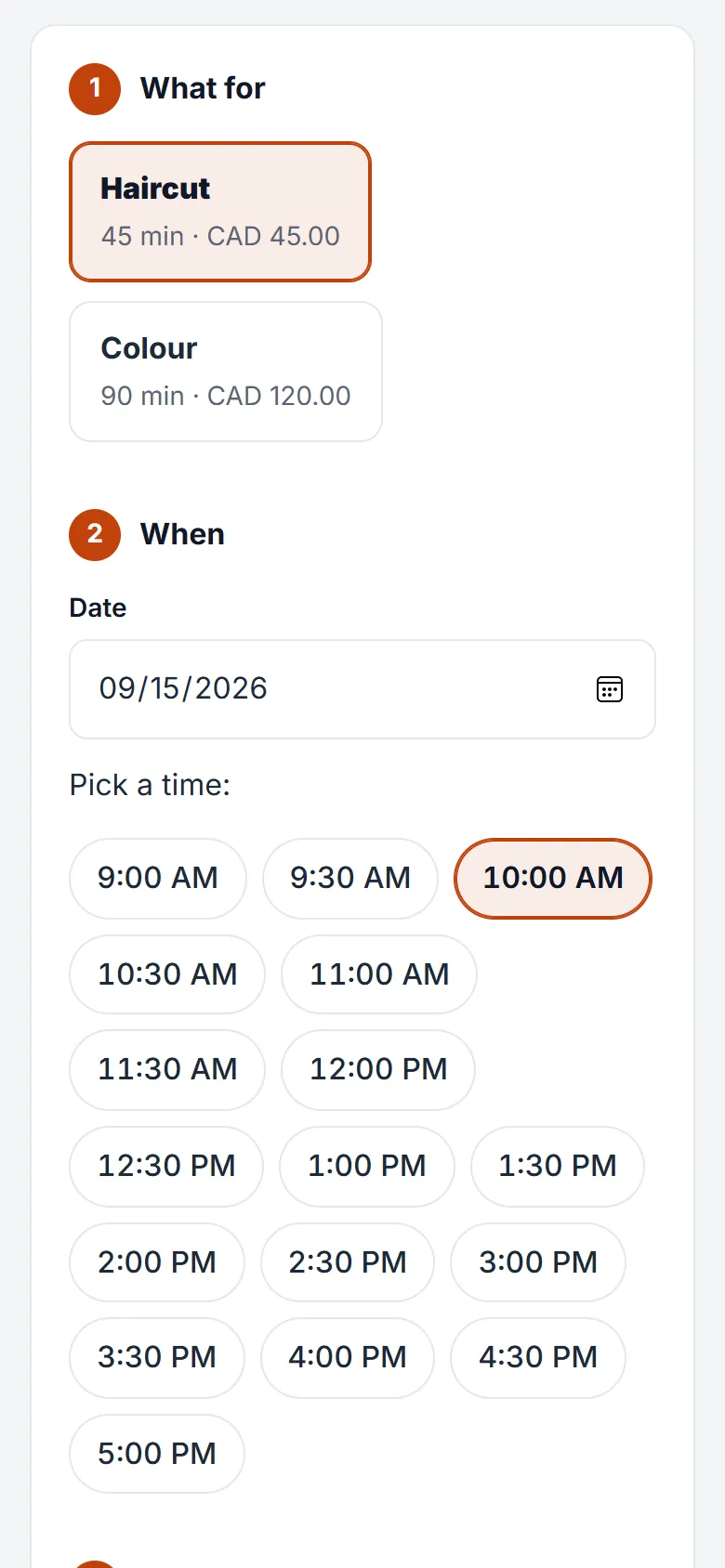
Clients pick a free slot on your booking page at any hour, and it lands straight in your agenda. An email reminder goes out 24 hours before, plus an earlier one — 48 hours, for example — if you turn it on.
In practice
A hair salon puts its booking link on Instagram. A client picks Thursday at 10:00 for a cut, and the stylist sees it in the agenda before opening the shop.
02 / 11
Clients, with their history
Included in Essential
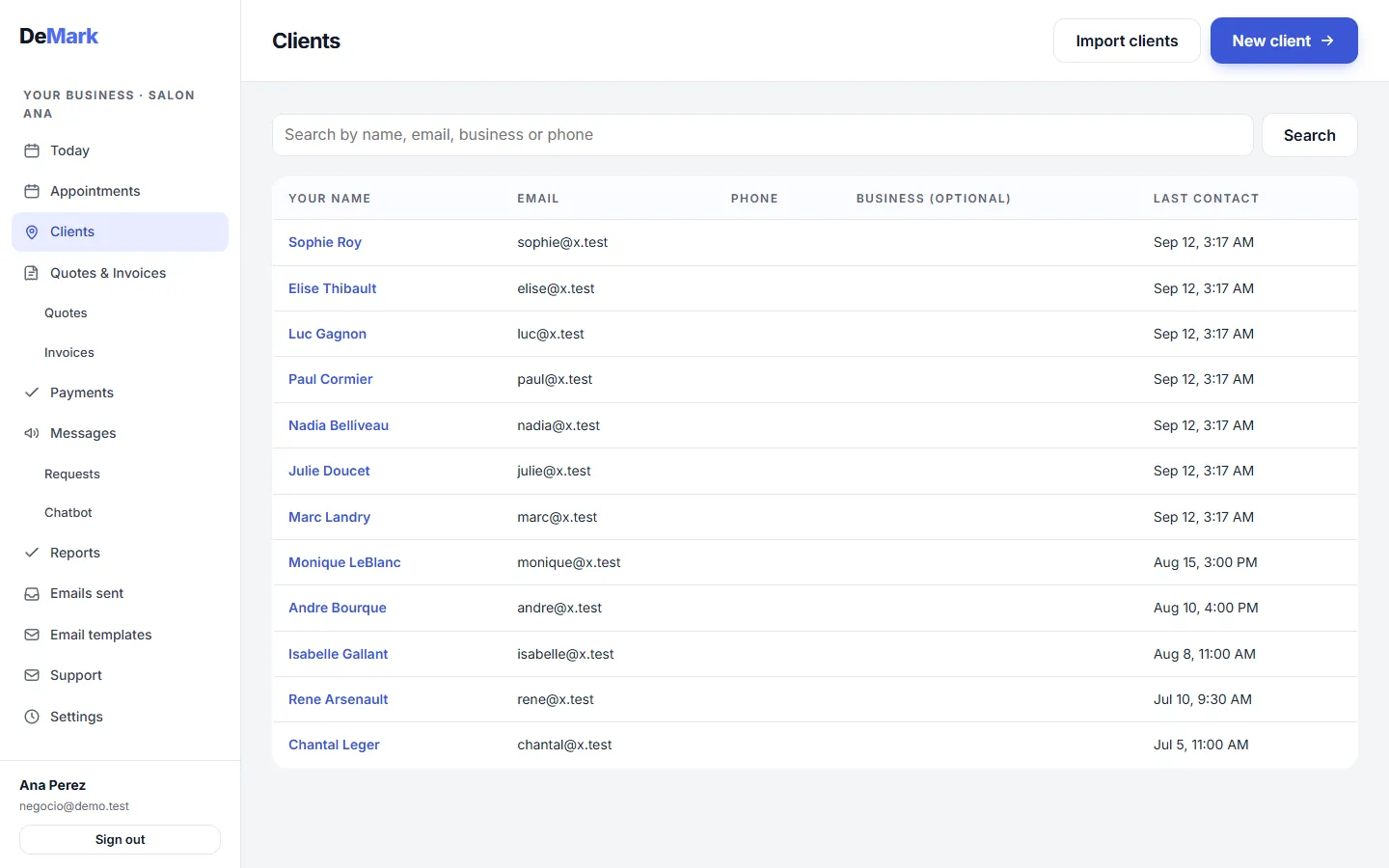
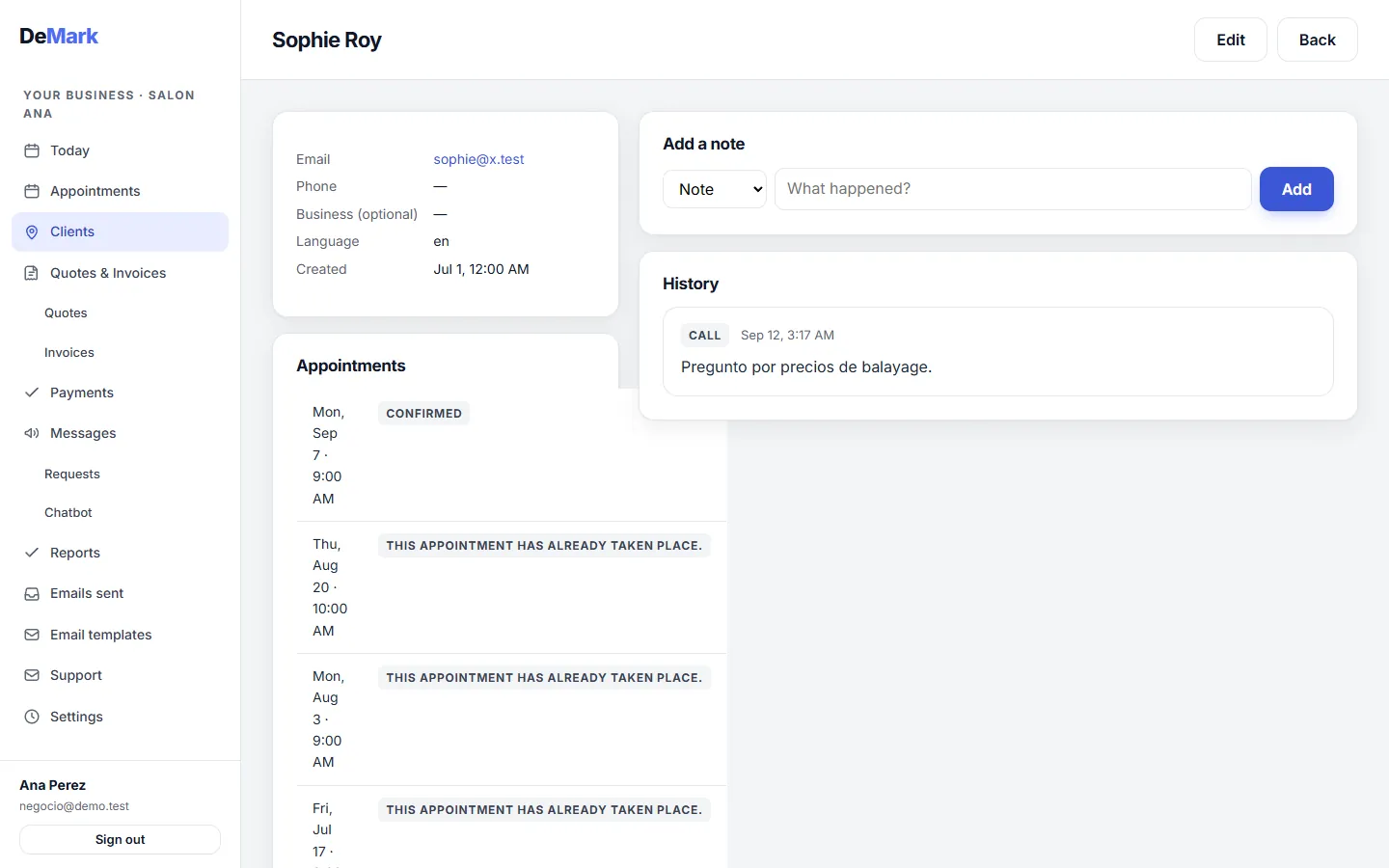
Everyone who books or writes gets a record with their contact details and notes. Their appointments, requests and logged calls or emails sit on the same page.
In practice
Before a follow-up, a physiotherapy clinic opens the client's record and sees their last visits and the note from the phone call about their knee.
03 / 11
Written quotes
Included in Complete
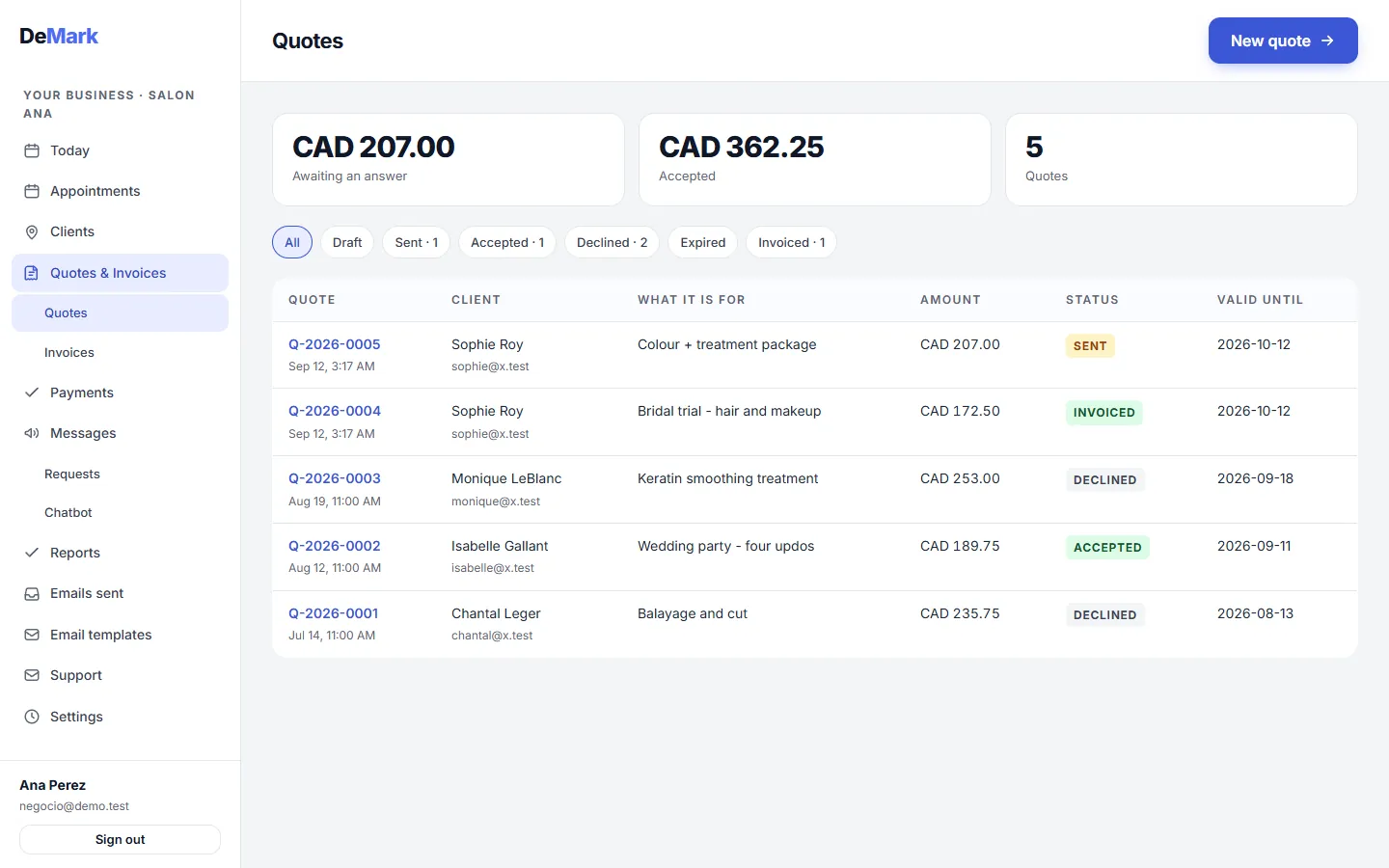
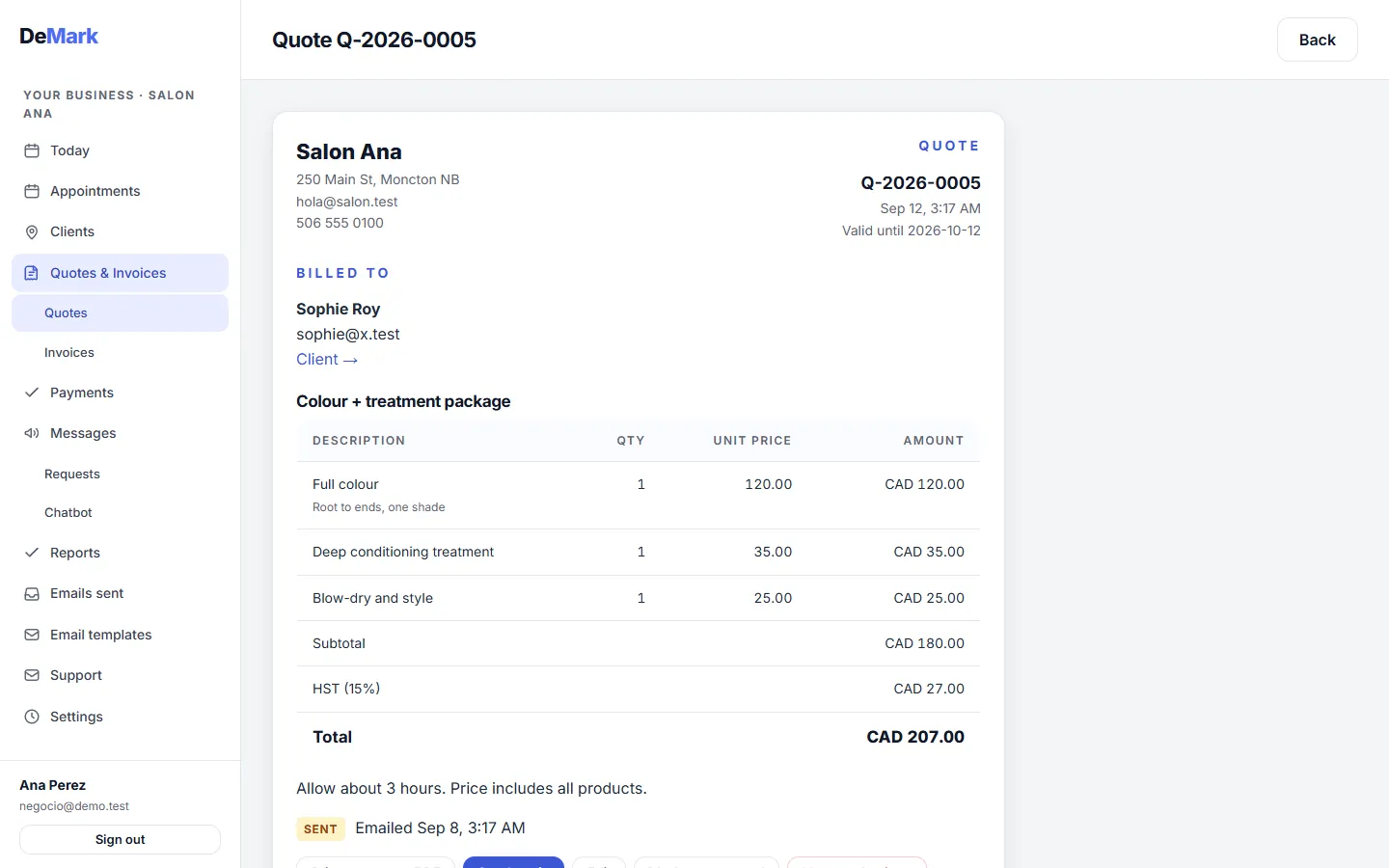
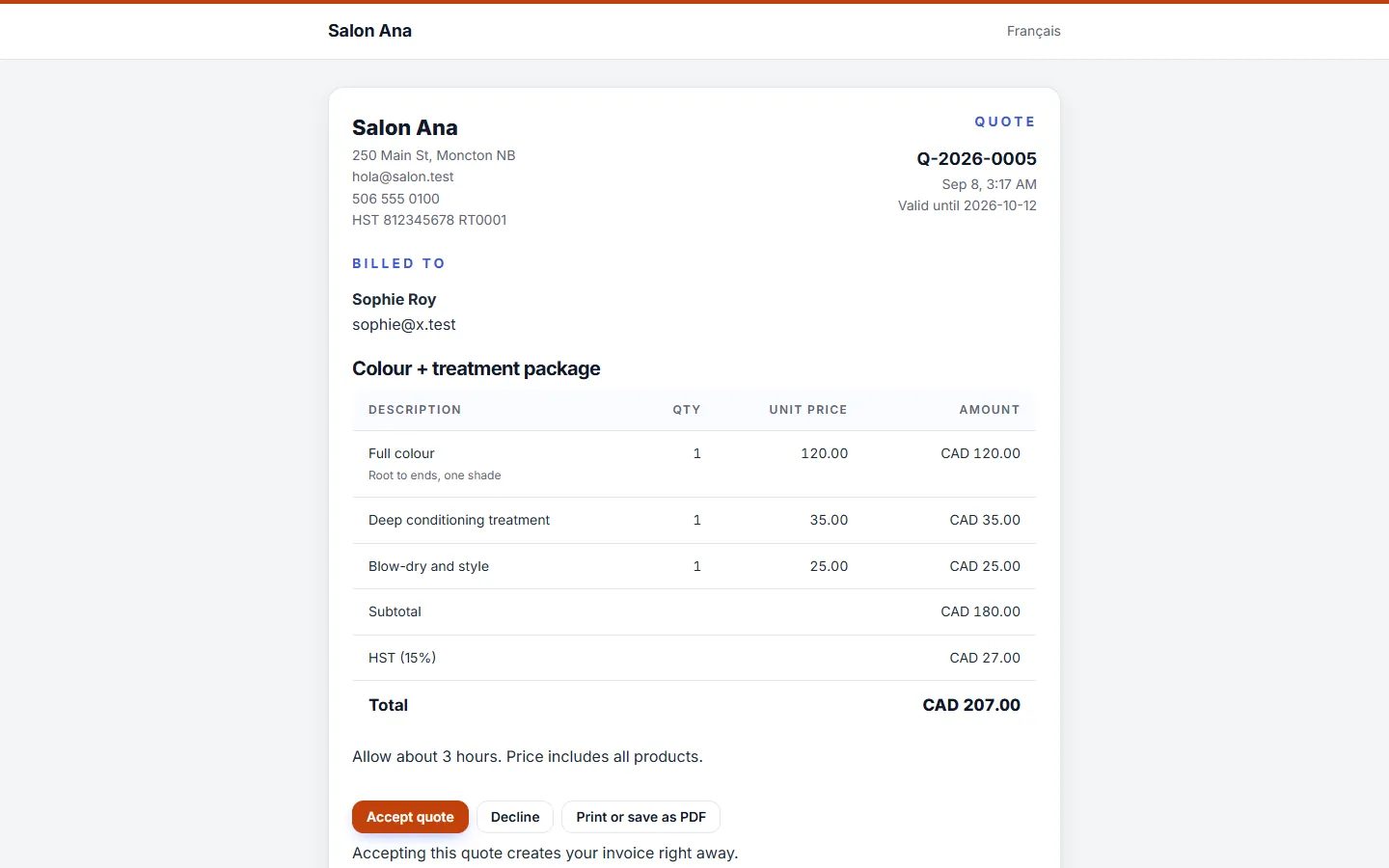
Build a quote line by line, with tax and total, and send it as a link. The client reads it, accepts it, and what they accepted stays on the record with its date.
In practice
An electrician quotes a panel upgrade from the truck. The client accepts on their phone that evening, and the job starts with the price already agreed.

04 / 11
Invoices
Included in Complete
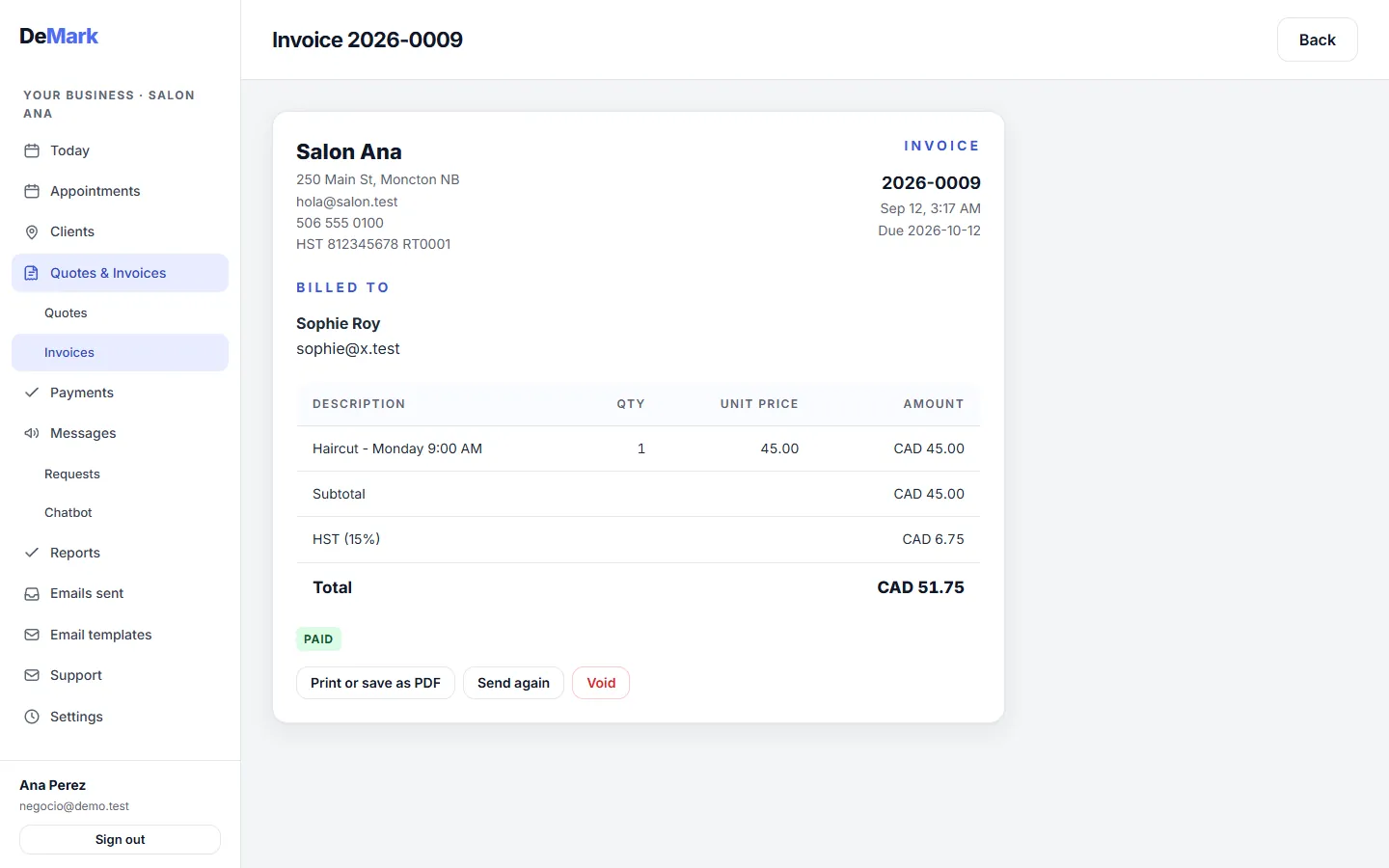
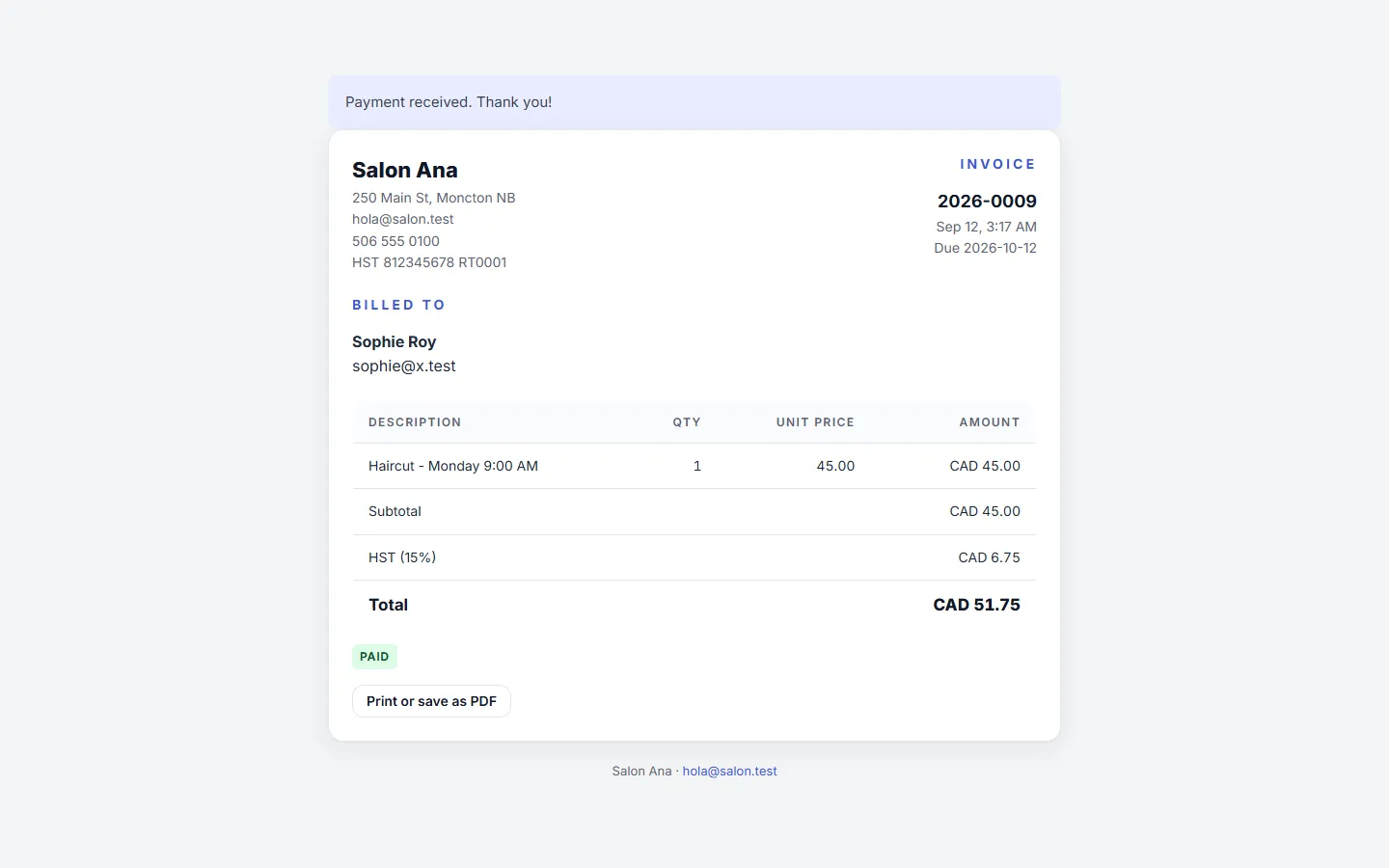
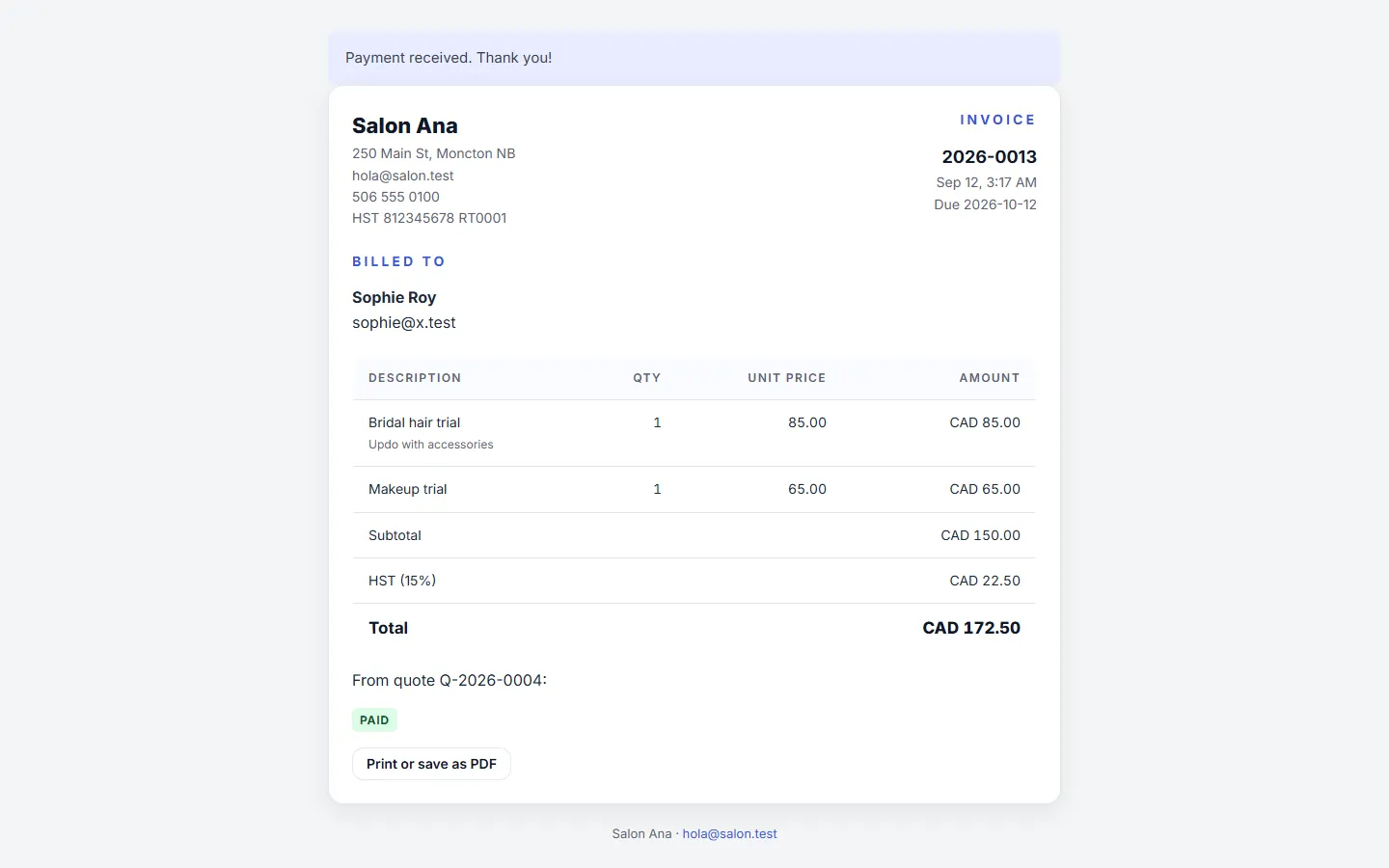
Create an invoice, send it by email and mark it paid when the money comes in. Your client opens it on its own page, with no account to create.
In practice
A contractor finishes a bathroom repair, sends the invoice that evening from their phone, and marks it paid when the e-transfer arrives.
05 / 11
Card payments
Included in Complete
Your client pays an invoice by card from the link you sent. The money goes into your own Stripe account: DeMark never touches it and never adds a fee on top of Stripe's.
In practice
A clinic sends an invoice after a session. The patient pays it that night, and the invoice is marked paid without anyone typing anything.
06 / 11
Client portal
Included in Essential
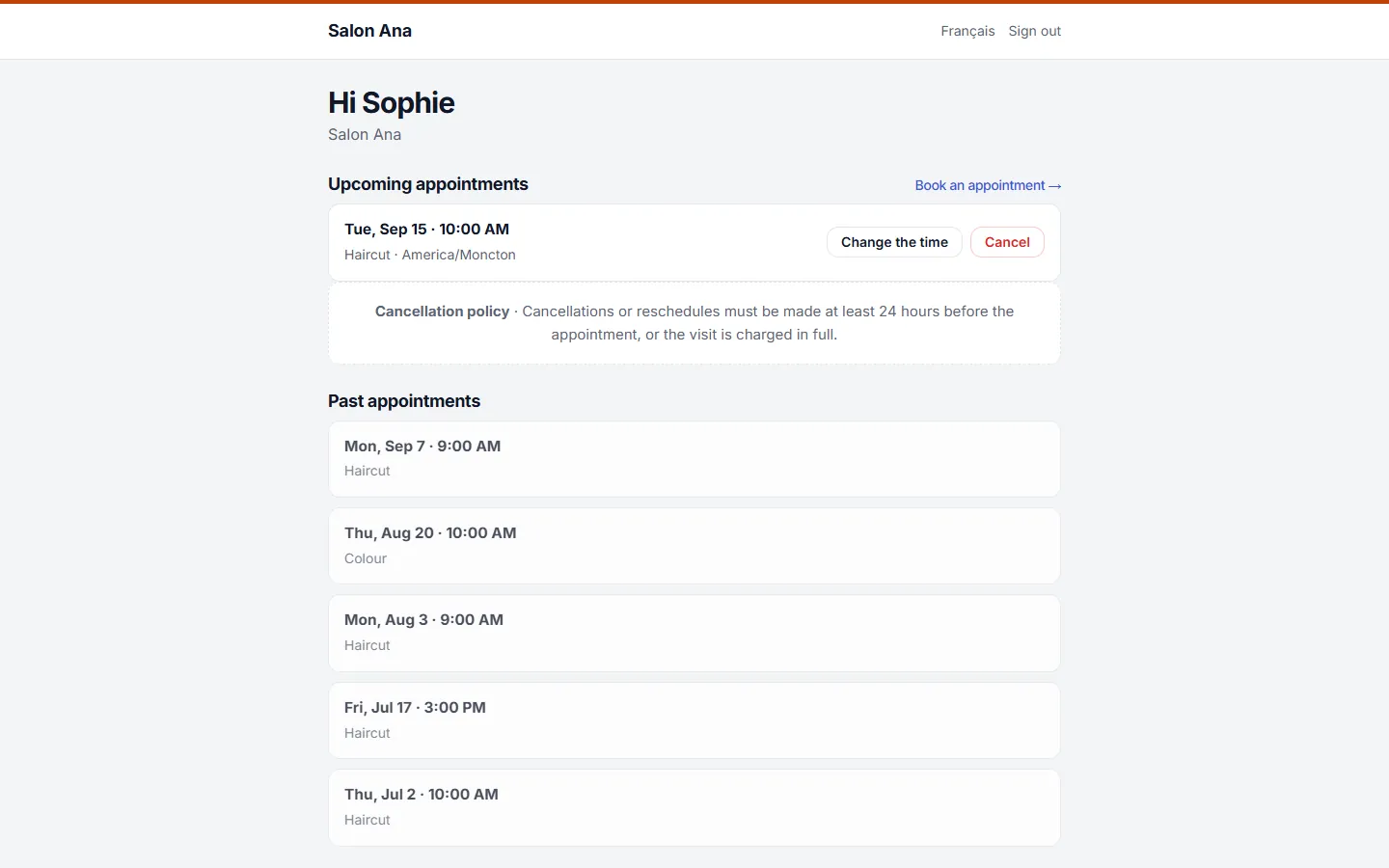
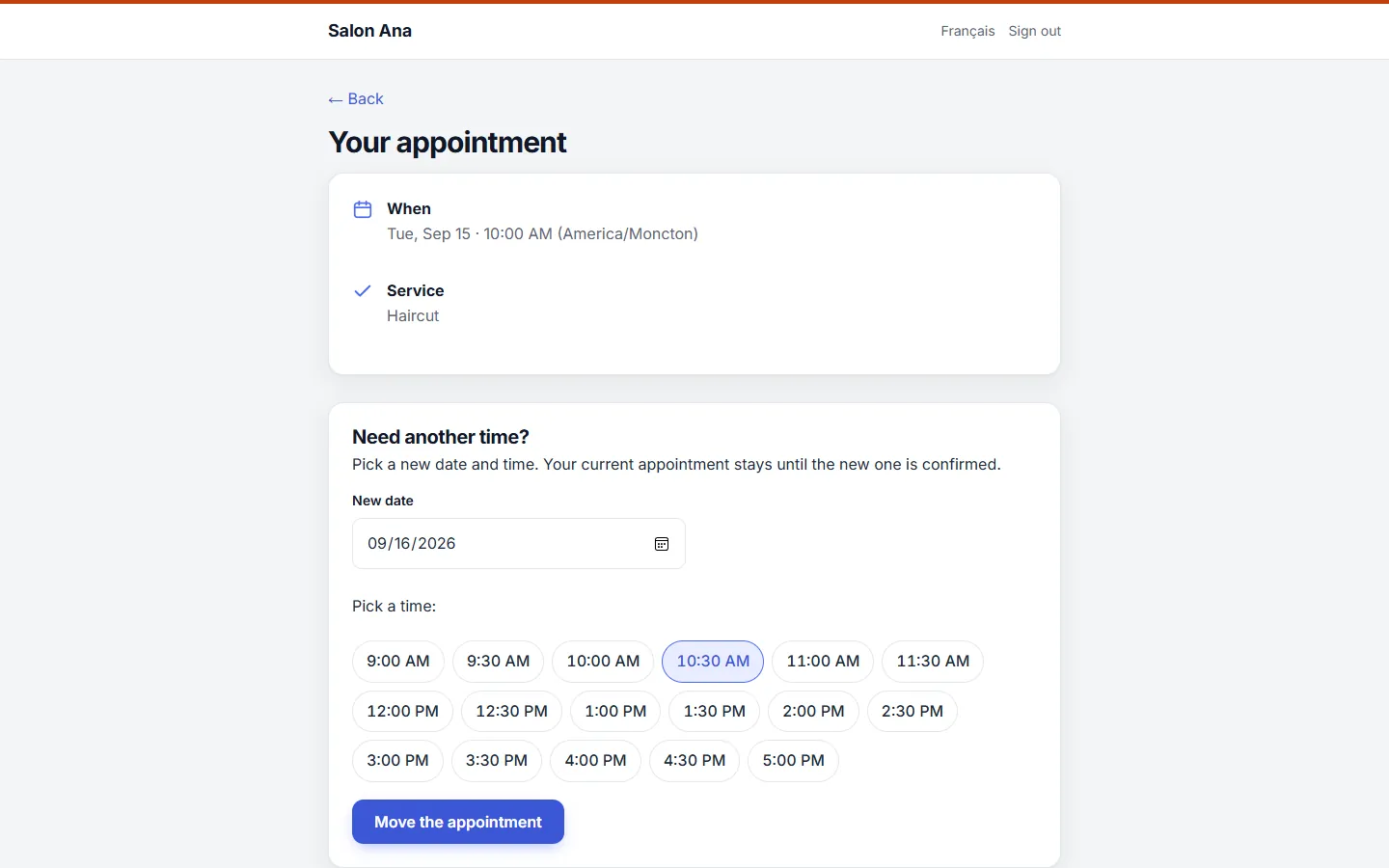
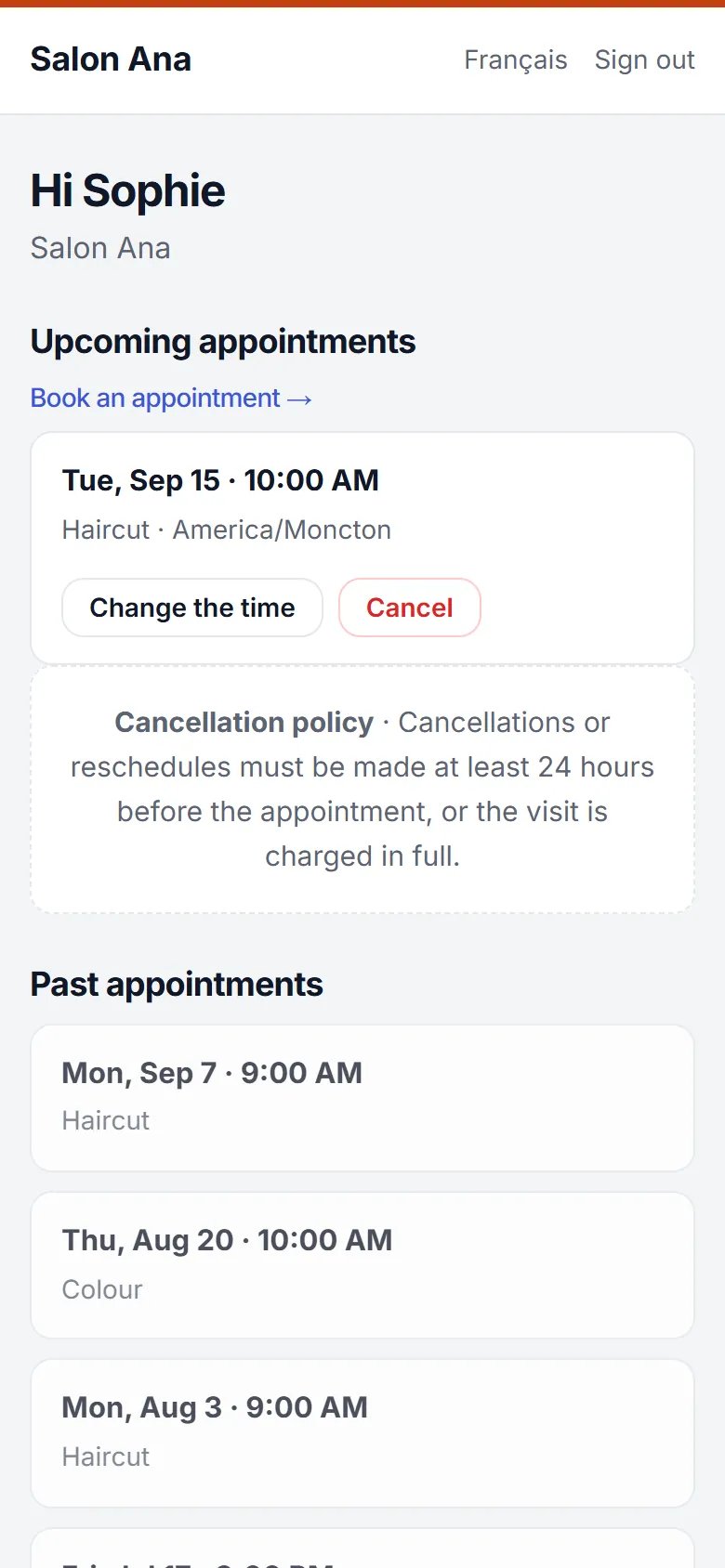
Clients sign in with a one-time link sent to their email, so there's no password to remember. They see their bookings, move or cancel one, and look up their invoices.
In practice
A client can't make Tuesday's appointment at the clinic. They open the portal from the email, move it to Friday, and the clinic's agenda updates on its own.
07 / 11
Requests and chat
Included in Essential
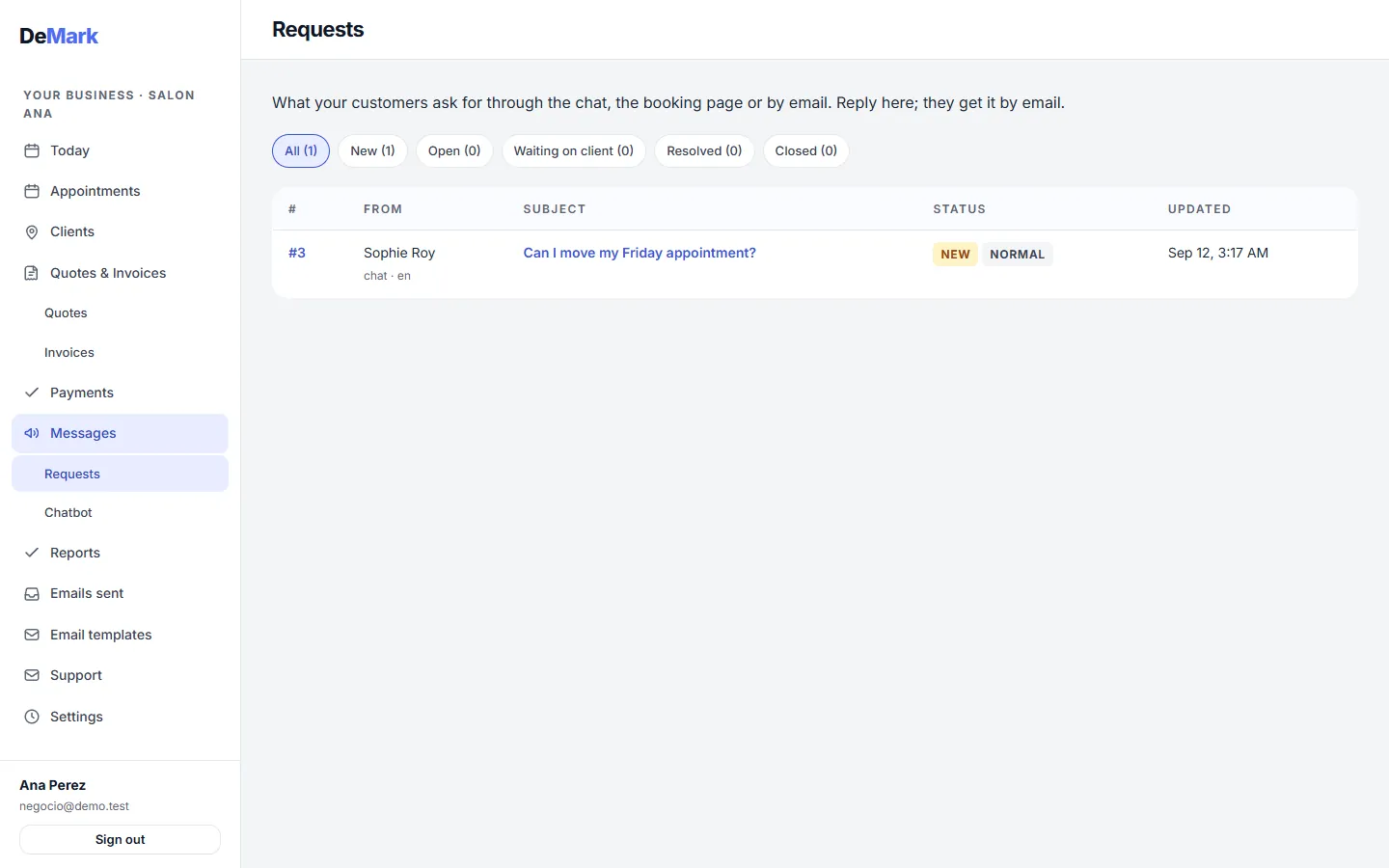
What clients ask through your site's chat, the booking page or by email arrives in one inbox, and your reply reaches them by email. The chat answers only from what you wrote — hours, services, your own questions and answers — and turns anything else into a request for a person.
In practice
At 11 p.m. someone asks a contractor's chat whether they work weekends, and the saved answer replies right away. A question about a specific job waits in the inbox for the morning.
08 / 11
Emails and templates
Included in Essential
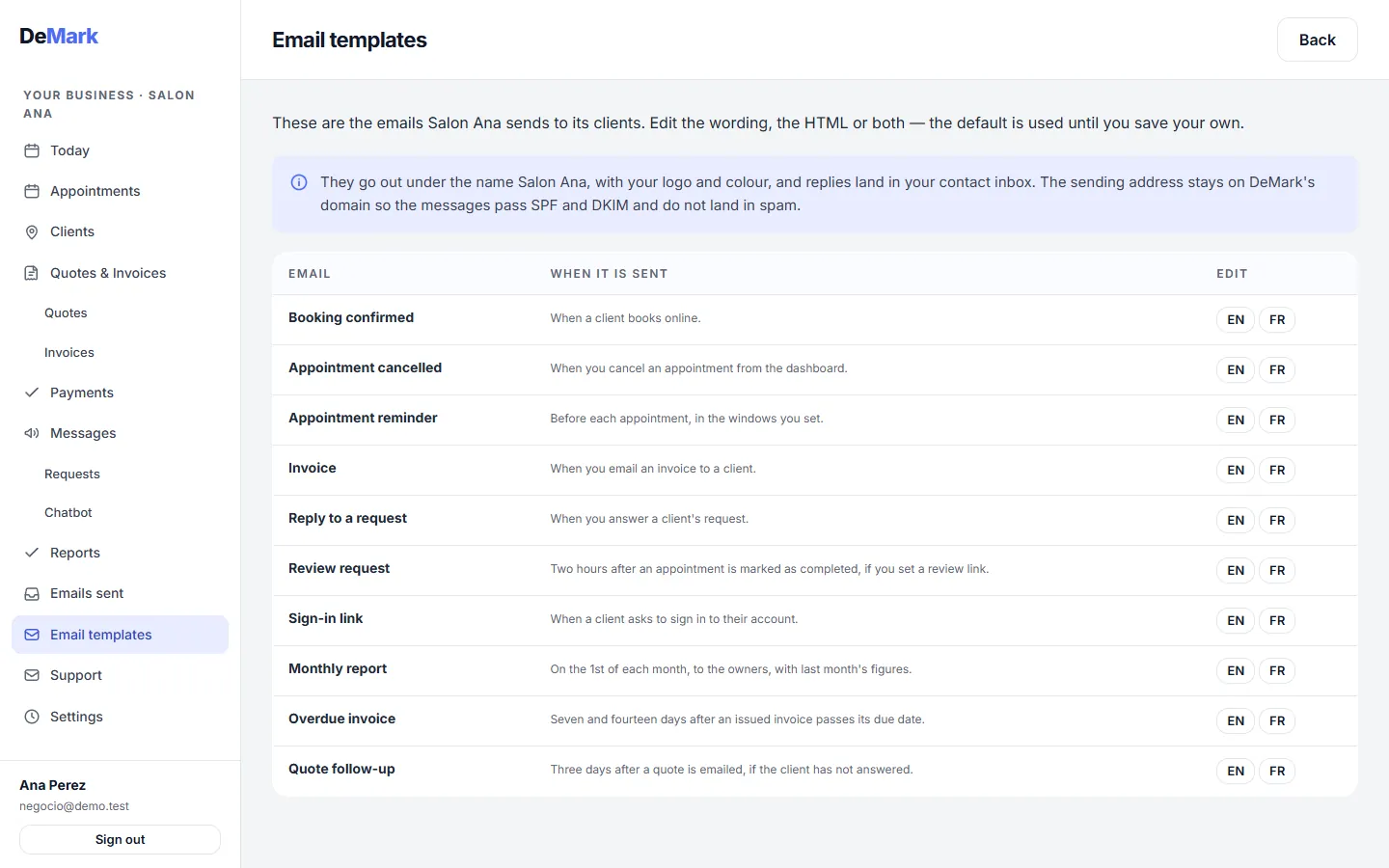
Confirmations, reminders and review requests go out on their own; once you've added your review link, the request leaves two hours after you mark a visit done. You can rewrite each template so it sounds like you.
In practice
A salon adds “Please arrive five minutes early” to the reminder, and every reminder from then on says it.

09 / 11
Text reminders
Included in Complete
The same reminders that go out by email can go out as a text message instead. There is a daily cap per business, so a mistake can never run up a phone bill.
In practice
A barbershop switches the 24-hour reminder to text. Clients read it on the walk to work, and fewer chairs sit empty.
10 / 11
FAQ on your site, and a person answers the rest
Included in Complete
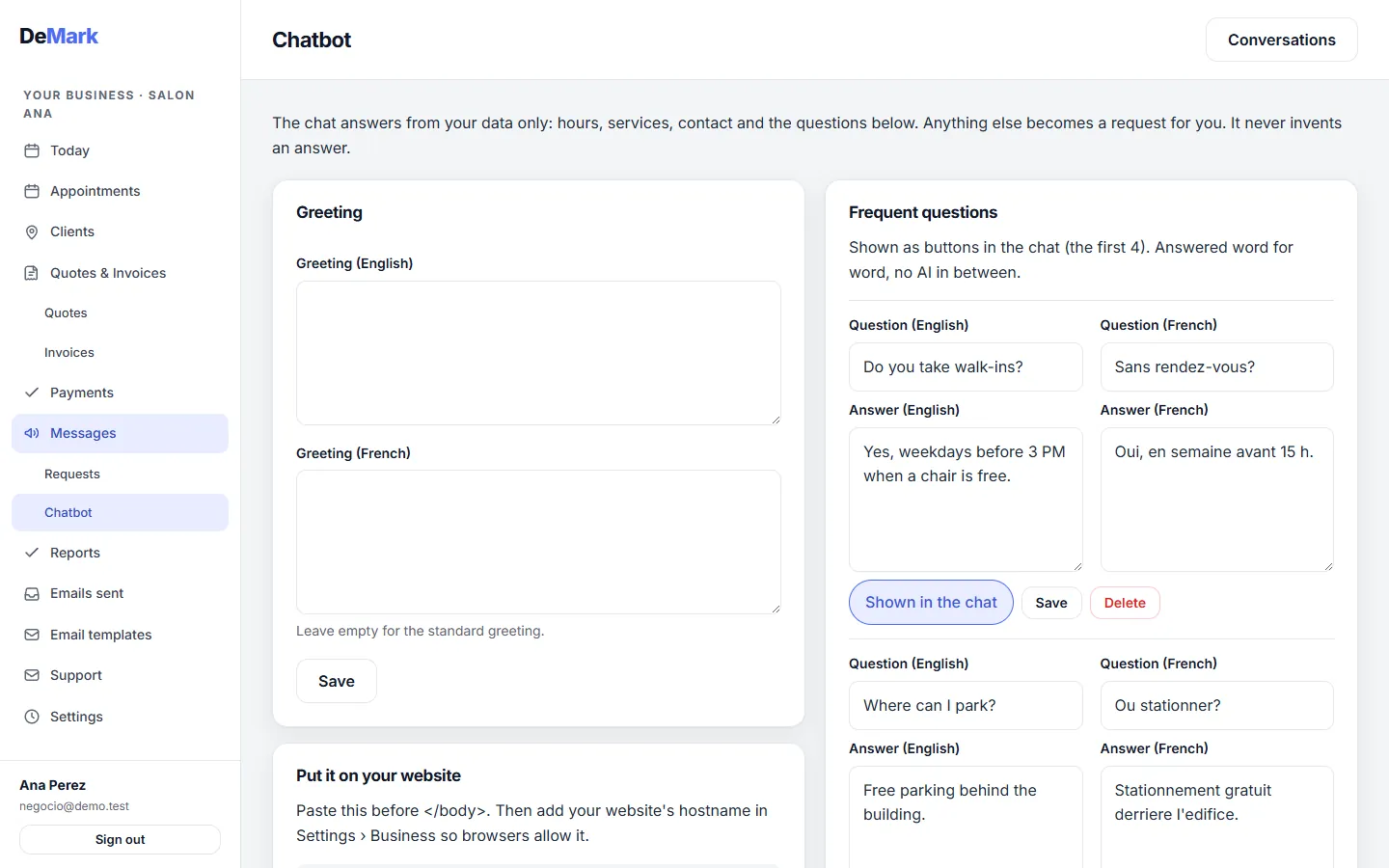
A small chat on your website answers from the questions and answers you wrote yourself — hours, services, parking. Anything it does not have becomes a request with a name and a number, and a person replies.
In practice
At 11 p.m. someone asks a salon whether it does balayage. The saved answer replies straight away; a question about a price for their hair waits for the owner in the morning.
11 / 11
Support from your advisor
Included in Essential
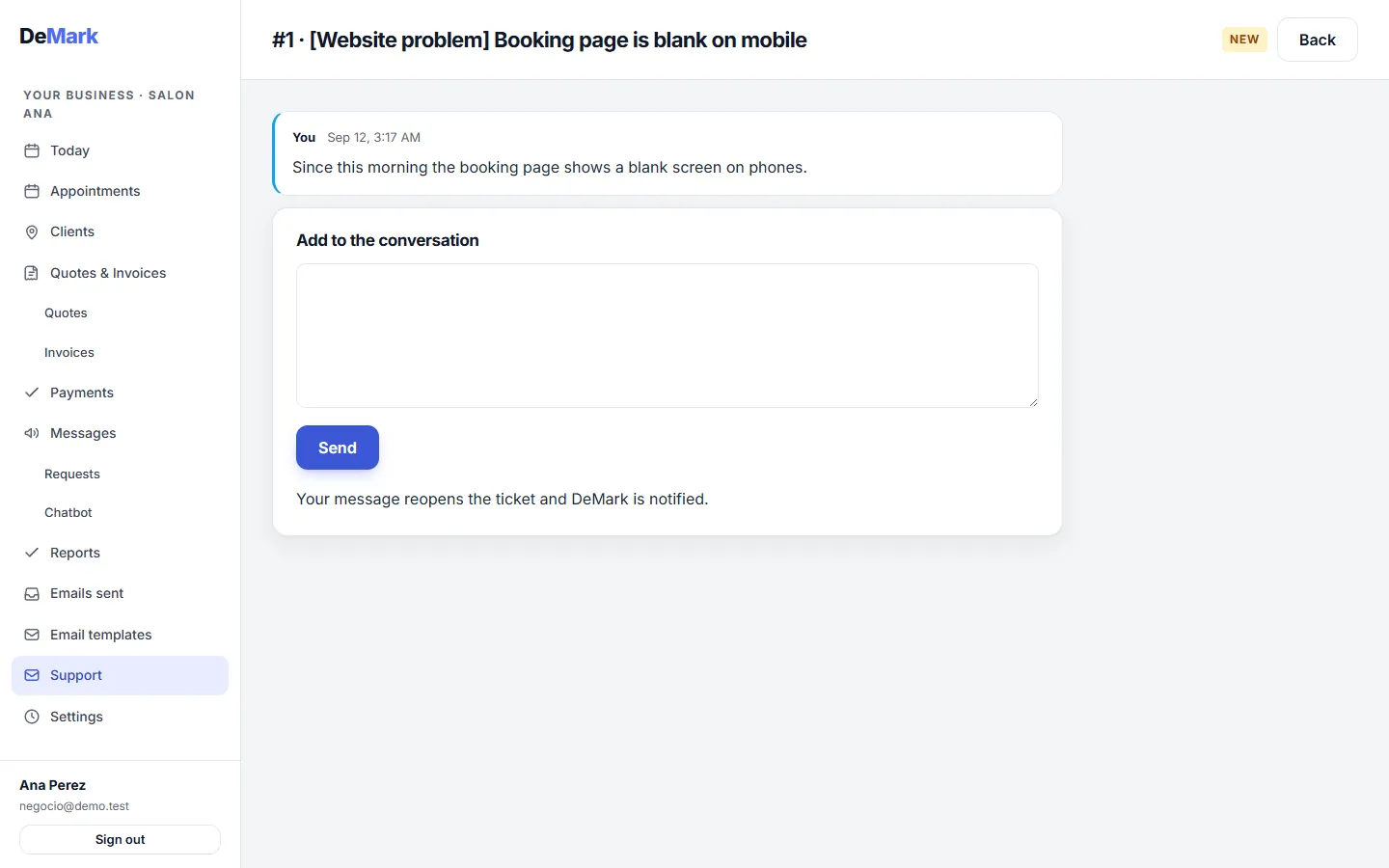
When something doesn't work or you need a change, you open a ticket from the back office. It reaches DeMark, and your advisor answers it personally.
In practice
A salon owner wants the booking page to offer French too. They write it in a ticket, and the advisor replies in the same thread.
Try it yourself
The demo is this same back office, filled with a made-up business. Sign in and click around: no real client will ever see what you do, and everything resets every night.
negocio@demo.test- Password
demo demo demo
All data in the demo is made up. Please don't type anything personal into it.
Pricing
A monthly membership.
Two plans, billed monthly. Start with 7 days of Complete, card required; cancel any month.
-
Essential
49 CAD per month -
Complete
99 CAD per month
Where to go next
The same system, explained for your trade — or compared with what you are using today.
See it with your own clients.
7 days of Complete, card required. Your advisor helps you set it up, and cancelling before the trial ends costs nothing.